Dragonwings
Quite a few years back I was working with a client on their design system.
We were building components, doing CSS architecture, creating conventions and standards in the team. I found myself explaining the benefits of reusable components again and again, and the difference between very reusable components and components that were too specific and custom, and therefore not very reusable.So I wanted a better way to explain it, a way that was easy to understand. I decided to try explaining it using a LEGO analogy. Here is the explanation that I used:
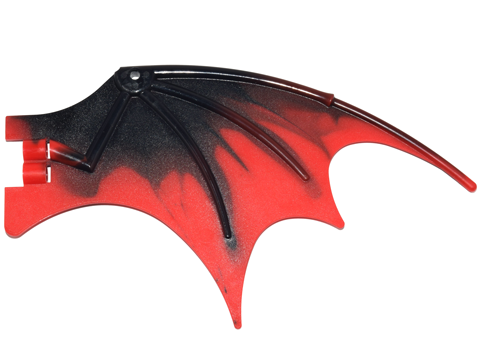
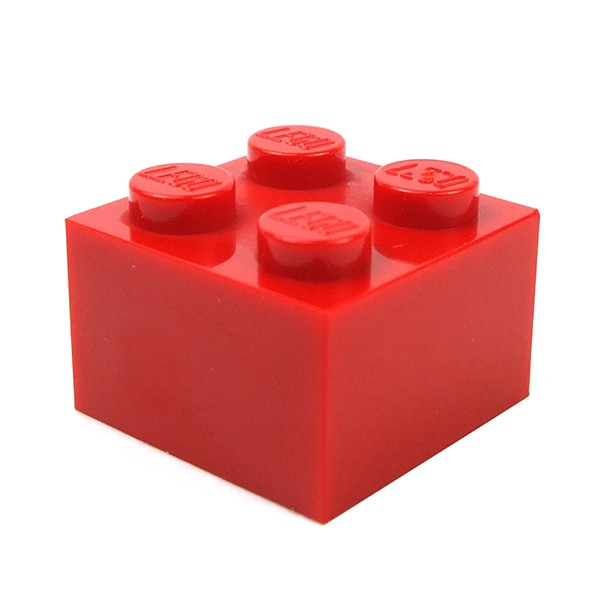
Components are like LEGO bricks. Some bricks are very generic and common (i.e. a 2x2 brick) and can be used to build a house, a boat or a plane. Other bricks are very specific, for example a dragon-wing brick, which can only be used on a dragon.
So the idea is that the common LEGO brick (2x2) is very reusable, since it can be used to build pretty much any building, or anything really.
A dragon-wing LEGO brick on the other hand, is a very specific LEGO brick, and therefore is not very reusable since you can pretty much only use it to build a dragon.
Examples permalink
Common: button, checkbox
Dragon wings: CartQuantityInput, SubmitRatingButton
You can use this analogy to think about if your component is a common or a specific component. Reusable or not reusable. 2x2 or dragonwing.
I’m not saying that dragonwings are bad. If we didn’t have dragonwings in this world, all the dragons would look weird 😉 I just think it’s important to know whether your component is reusable or not. In most cases reusability is great, but in some cases it can be overkill.
Identifying a dragonwing permalink
Let’s say you have a button component. Sounds very reusable so far, right. Let’s imagine that this button component has a click-handler that is making a HTTP request, saving the current date (or whatever) - now it’s not so reusable anymore, is it?
If this button was needed other places in the same app, you probably couldn’t just use it “off-the-shelf”, because it’s not just a dump UI component, it’s actually a “smart” component that knows about an API. This button component in this scenario is closer to being a specific dragonwing brick than being a common 2x2 brick.
Splitting a dragonwing permalink
The button in the example should be split up into a "dump" UI component that has no business logic, and doesn't have any clue about the world around it. Do instead of handling the click-event, it should simply emit that event up to the parent component that should handle the business logic, which is calling an API, doing caclculations or whatever. That would make the button component go from a dragonwing to a 2x2 🎉
Smart components vs. dumb components permalink
Smart components permalink
- Contains business logic
- Knows about domain model
- Contains "dump" UI components
- Receives events from dump components
- Also known as: container components, functional components
Dump components permalink
- Doesn't contain business logic
- Doesn't know about domain model
- Used by smart components
- Emits events up in the tree
- Also known as: UI components, presentational components